English
  Deutsch















Electronic Shelf Labels for Convenience Stores
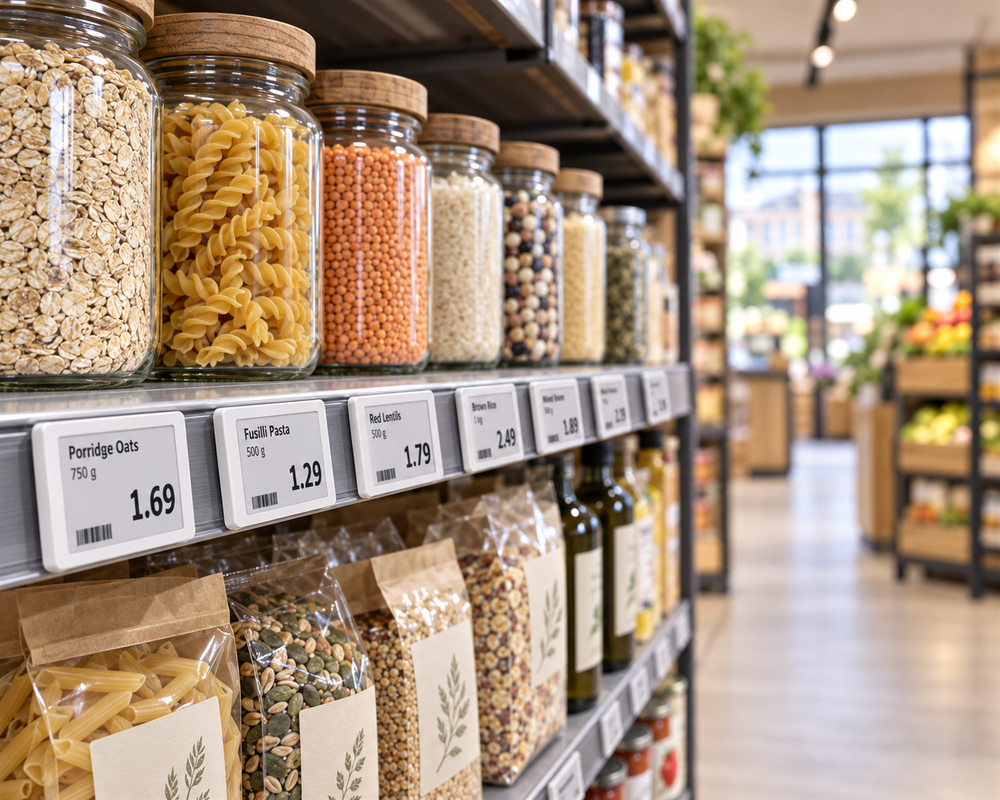
For a convenience store, electronic shelf labels are part of the price-management workflow. The starting point is the store’s data and daily tasks, not the number of labels in a box.
Choose a representative pilot area
Select a manageable area that reflects the store’s real products, promotions and shelf types. Include the staff who currently prepare and replace tickets. Document the current workflow before installation.
Check the price data
Review product identifiers, price fields, promotions and label assignments. Unisoft enters the initial product data; your team manages subsequent changes or uses paid assistance. UK ESL external-system integration is not currently offered.
Assess the shop environment
Review shelf-edge fittings, visibility, connectivity and any chilled areas. Confirm model suitability for each environment. A forecourt shop installation does not by itself establish that the same hardware is suitable for exposed forecourt areas.
Measure what changes
Track successful updates, exceptions, time spent correcting tickets and readability. Record battery or maintenance tasks. Compare the pilot with its starting point before deciding how widely to deploy.
Compare costs honestly
Include labels, gateways, fittings, software, integration, installation and support. Distinguish staff time released for other work from cash savings actually achieved. Neither a fixed battery life nor a particular payback period should be assumed for every store.
Prepare your project brief
Share store count, approximate label quantities, shelf photographs and the price-data system. Ask for a proposed pilot scope with responsibilities and evaluation criteria.
An ESL project sized for your store
For a convenience store or forecourt shop, start by selecting the shelves and product range to include in your ESL project. Orders start at 50 labels, with gateways, holders and software specified in the package. Unisoft performs initial product-data entry. Plan how your team will maintain later prices, because external-system integration is not currently offered for UK ESL projects. A paid pilot can be discussed before agreeing a wider project scope.
External-system integration in the UK
We do not currently offer electronic shelf label integration with external POS, ERP or other data systems for UK projects. Your quotation should therefore not assume an automatic connection to your existing pricing system.
Explore Related Solutions: ESL · Electronic Shelf Labels: How Digital Price Tags Work, Installation and Pricing · Retail and Store Solutions · Contact











.png.webp&w=410&h=235 "DSFeed Content Management and Monitoring Service")